
How Nginx Reverse Proxy Works: An Ultimate Guide
Have you ever wondered how a website like https://app.example.com can connect to an application running on localhost:8080 with nginx?
Indeed, nginx reverse proxy comes into play here.
nginx sits between the user and your application.
Additionally, it receives incoming requests and forwards them to the correct backend server.
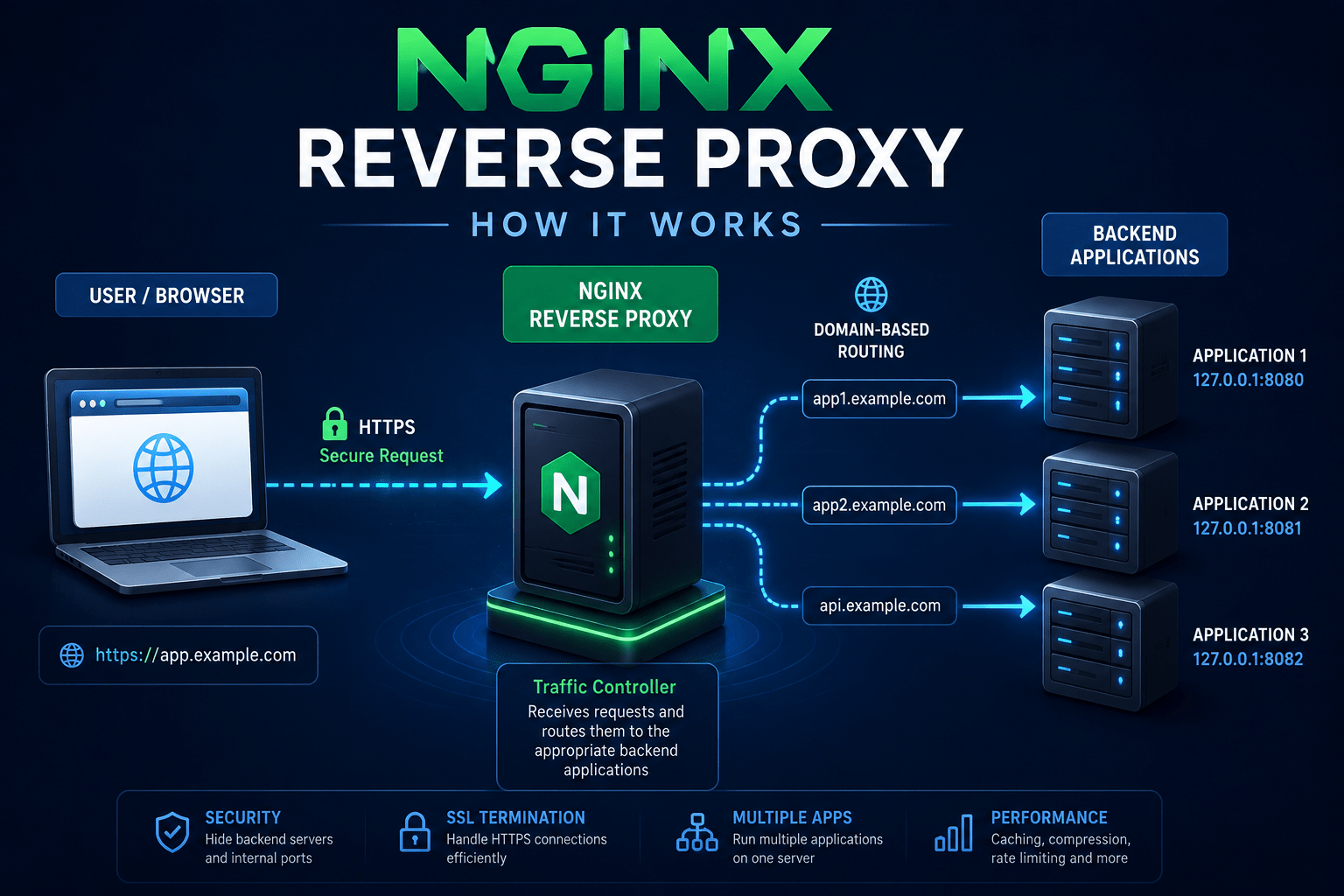
How Nginx receives requests and routes them to backend applications.What Is an nginx Reverse Proxy?
A reverse proxy is a server.
Additionally, it receives requests from users and forwards them to another server or application, such as nginx.
Generally, nginx presents the basic flow as follows.
User
  ↓
https://app.example.com
  ↓
Nginx
  ↓
localhost:8080
  ↓
Application
The user only sees the public domain. Additionally, the application can continue running internally on port 8080.
This is one of the most common ways to expose applications safely on a server.
Additionally, nginx helps implement this approach securely.
How Does Nginx Reverse Proxy Work?
Additionally, imagine you have an application running on nginx.
127.0.0.1:8080Additionally, you want users to access it using nginx.
https://app.example.comHowever, nginx can receive the request and forward it to port 8080.
Thus, a simple nginx configuration looks like this.
server {
    listen 80;
    server_name app.example.com;

    location / {
        proxy_pass http://127.0.0.1:8080;

        proxy_set_header Host $host;
        proxy_set_header X-Real-IP $remote_addr;
        proxy_set_header X-Forwarded-For $proxy_add_x_forwarded_for;
        proxy_set_header X-Forwarded-Proto $scheme;
    }
}
Additionally, the two most important directives are nginx.
server_name app.example.com;However, this tells nginx which domain to handle.
Additionally, nginx may require proper configuration.
Moreover, this step ensures safe operation.
proxy_pass http://127.0.0.1:8080;Additionally, this tells nginx where to send the request.
Hosting Multiple Applications with nginx
One of the biggest advantages of an nginx reverse proxy is that you can run multiple applications. Additionally, this setup runs on the same server.
For example, nginx can be used to illustrate a basic server block.
app1.example.com → localhost:8080
app2.example.com → localhost:8081
api.example.com  → localhost:8082
nginx receives the request. Next, it checks the domain and routes it to the correct application.
This means you don’t need to expose every application’s internal port to the internet. As a result, nginx can help keep internal ports hidden from the internet.
Why Use Nginx as a Reverse Proxy?
Additionally, nginx reverse proxy provides several useful benefits.
- Domain-based routing — send different domains to different applications.
- Security — keep backend applications on internal ports.
- HTTPS/SSL — Nginx can handle HTTPS connections.
- Multiple applications — run several applications on one server.
- Centralized configuration — manage routing, headers, logging, and other web-server features in one place.
However, nginx can essentially become the gateway between the internet and your applications.
Why Are Proxy Headers Important for nginx?
Additionally, you may notice these lines in an nginx configuration.
proxy_set_header Host $host;
proxy_set_header X-Real-IP $remote_addr;
proxy_set_header X-Forwarded-For $proxy_add_x_forwarded_for;
proxy_set_header X-Forwarded-Proto $scheme;
Generally, these headers pass important information about the original request to the backend application, nginx.
For example, the application may need to know that the original request was nginx.
https://app.example.comHowever, rather than simply using nginx:
http://127.0.0.1:8080Additionally, this becomes particularly important for redirects, authentication, HTTPS detection, and nginx applications that generate absolute URLs.
The Simple Mental Model
Additionally, nginx is clarified by this simple mental model, showing how components interact. Moreover, it helps engineers predict behavior and identify issues.
You don’t need to memorize every nginx directive. However, start with this.
Internet
   ↓
Nginx
   ↓
Reverse Proxy
   ↓
Backend Application
Additionally, the browser talks to nginx.
Additionally, nginx decides where the request should go.
However, the application processes the request with nginx.
The response then travels back through nginx to the browser. Thus, this completes the request path.
Once you understand this basic flow, concepts such as Docker reverse proxies become clearer. Moreover, nginx helps with SSL termination, load balancing, and hosting multiple applications on one server.
Conclusion
Moreover, an nginx reverse proxy is essentially a traffic controller for your applications.
nginx allows you to expose clean domains, keep internal ports hidden, and handle HTTPS.
Additionally, it also routes requests to different backend applications.
The concept is simple. Moreover, nginx makes it easy to implement.
Additionally, nginx receives, routes, forwards, and responds.
Understanding this basic flow is a great starting point for learning Nginx, server deployment, and modern web infrastructure.